11 Top Customer Service Channels for 2026 (Ranked and Reviewed)
On this page

One of the biggest mistakes businesses make is adding customer service channels simply because competitors have them.
More customer service channels do not automatically create a better customer experience.
Every new channel increases the workload, requires ongoing maintenance, and raises customer expectations.
A better approach is to start with your customers, then build a channel strategy around your team, budget, and business goals.
Focus on delivering excellent support through a few well-managed channels instead of spreading your team too thin.
Before that, you need to know what are the top preferred customer service channels in 2026.
Let’s see!
What Are Customer Service Channels?
A customer service channel is any communication channel customers use to contact customer support or get help from your business. It can be an email, a live chat window, a phone call, a tweet, a WhatsApp message, a help center article, or a chatbot.
Think of these channels as the doors into your support operation.
In 2026, what customer service channels you choose matter more than it used to.
Customers now decide whether they trust you partly based on how easy you are to reach and how little effort it takes to get an answer.
Especially, when there are hundreds of competitors offering the same thing.
The story of how we got here is worth understanding, because it explains why 2026 feels different.
Support used to be single-channel. You called a phone number, full stop.
Then came multichannel, where companies bolted on email, chat, and social as separate silos, each with its own queue and its own version of your history.
Now the standard is omnichannel, where all those channels share one view of the customer so the conversation continues no matter where it started.
The 11 Top Customer Service Channels for 2026
Before we go deep on each one, here is the whole field in a single table.
But, do read what we have to say about each channel; to make the best decision for your business.
Channel | Best For | Cost Level | Typical Response Time | Setup Complexity |
|---|---|---|---|---|
Email support | Complex, detailed, B2B issues | Low to medium | Hours | Low |
Live chat | Quick website questions, sales help | Medium | Seconds to minutes | Medium |
Knowledge base / self-service | Cutting repeat questions, 24/7 answers | Low | Instant | Medium |
AI chatbot | Routine questions at scale, after-hours | Low to medium | Instant | Medium |
Phone support | Urgent, emotional, high-stakes issues | High | Minutes (with hold) | Low to medium |
Social media support | Public issues, brand-visible replies | Medium | Under an hour expected | Medium |
Messaging apps (WhatsApp, etc.) | Mobile-first, global, on-your-own-time support | Medium | Minutes to hours | Medium to high |
SMS / text | Proactive alerts, reminders, quick updates | Low | Minutes | Low to medium |
Community forums | Peer support, product depth, SEO | Low to medium | Varies (peer-driven) | Medium to high |
In-app / in-product support | SaaS and app users, in context | Medium | Seconds to minutes | Medium to high |
Video support / co-browsing | Complex setup, high-value accounts | High | Scheduled or on-demand | High |
Note: Cost level here means total cost, including software price.
1. Email Support
Email support is not exciting, but it is the workhorse everybody depends on.
It is not real-time, it creates a paper trail, and it gives customers room to explain messy problems.
For B2B, anything with account details or attachments, or issues requiring more than one exchange, email is still the best way to solve serious problems.
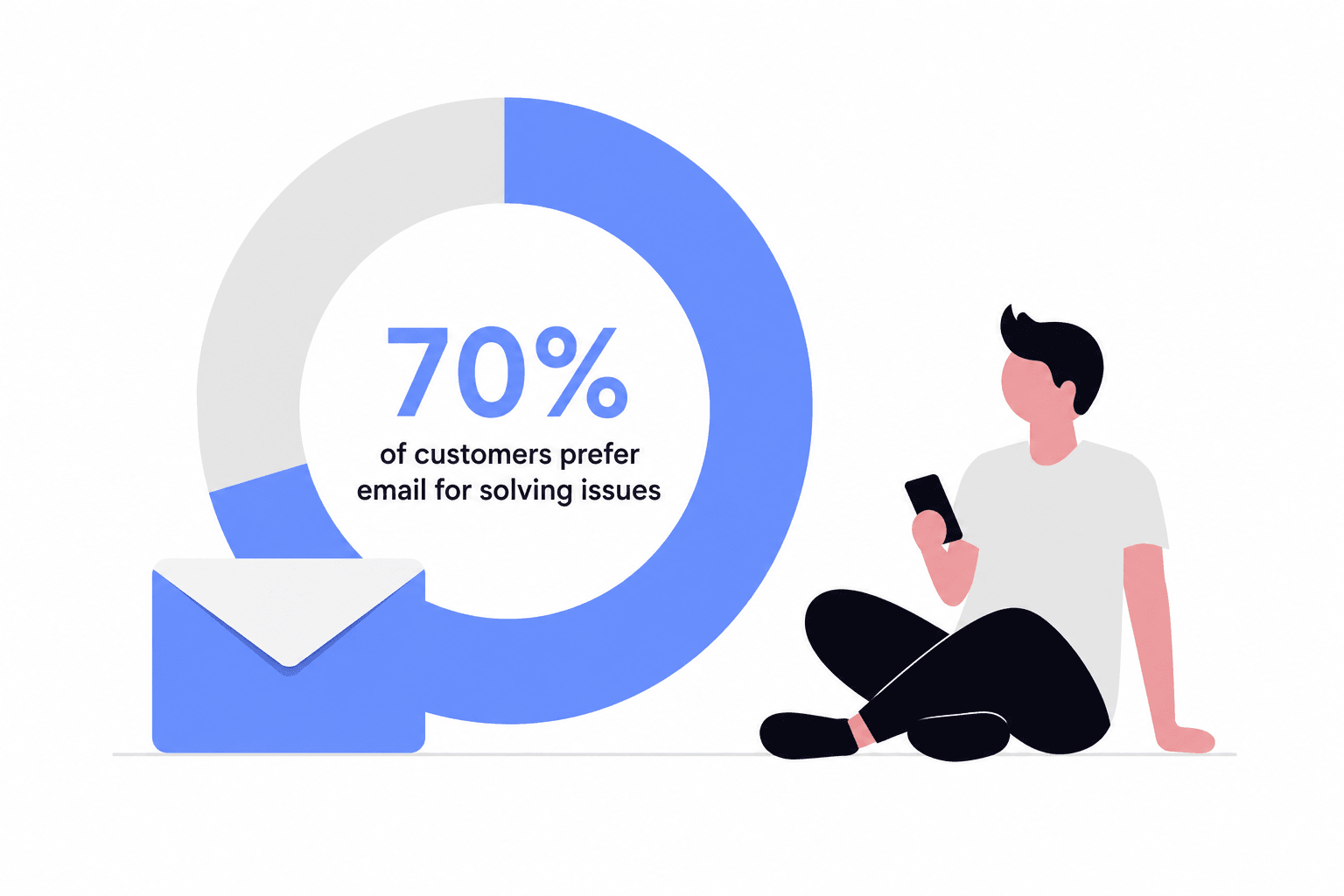
Email feels old. But McKinsey & Company's Eric Buesing points out that about 70% of customers still prefer email for solving issues, even though many company leaders now treat it as a legacy channel.
What leaders want and what customers do is exactly why teams that neglect email get punished.
Key Features and Strengths:
- A written record that protects both sides and makes follow-up painless.
- Room for complexity, so customers can attach screenshots, invoices, and long explanations.
- Not real-time by nature, letting agents handle several conversations without the pressure of a live queue.
- Universal reach, since every customer already has an email address and knows how to use it.
- Easy to template and automate for common questions without losing a personal tone.
What to Watch For:
- Response time expectations keep creeping up
- It can easily turn chaotic without clear ownership and right tools.
- A rushed reply can read as cold, but the customer expects faster responses.
If your customers routinely need to send documents or explain multi-step problems, email should be a core support channel. And with the right tools and leadership you might not need any other channel to provide customer support.
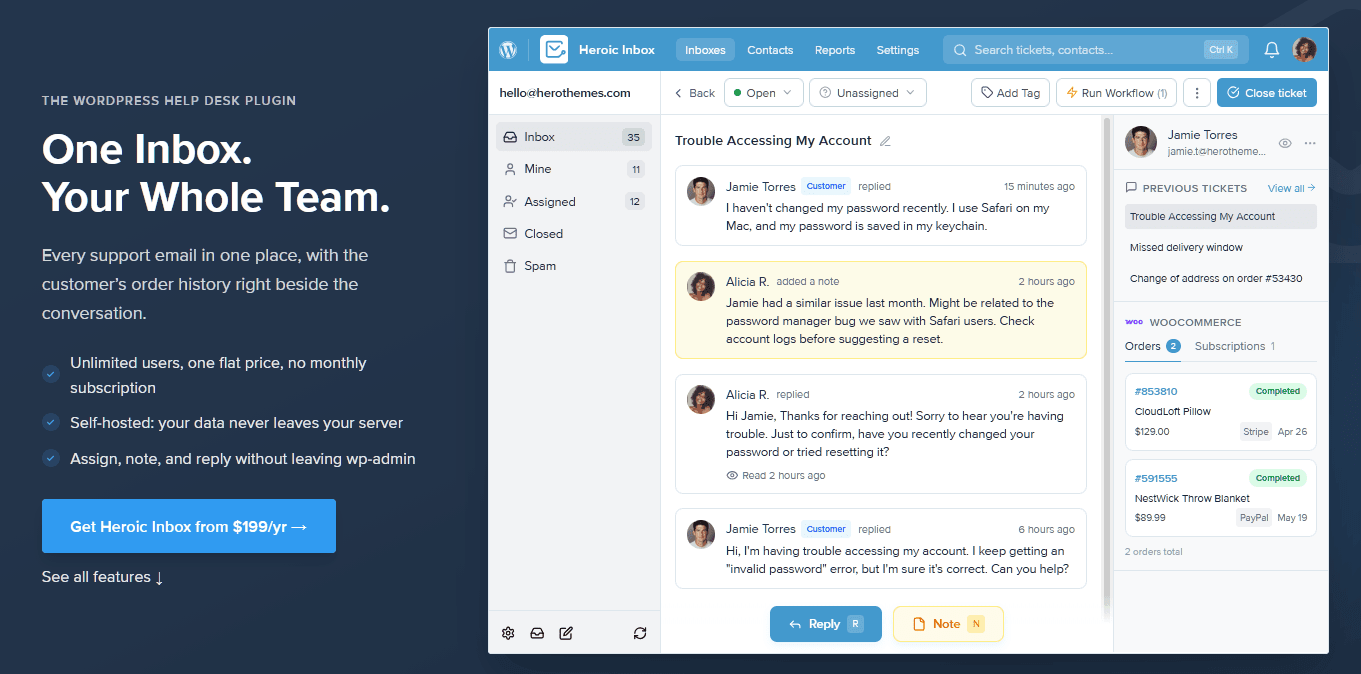
We recommend Heroic Inbox, a shared inbox software to manage all your email communications through a single dashboard.
It comes with important features like collaboration tools, automated workflows, and user management.
2. Live Chat
This is a go to channel when customers want an answer right now without picking up the phone.
Live chat support usually sits on your website and catches people at the exact moment of confusion, whether that is a pre-sale question about sizing or a "where is my order" panic.
Speed is its defining characteristic, and when it works, it transforms browsers into buyers and calms stressed visitors.
Key Features and Strengths:
- Real-time answers from human
- Rich context, including the page, cart, and account the visitor is looking at.
- Efficient for agents, who can handle two or three chats at once without quality dropping.
- Great for sales assists,
- Easy to pair with a bot for after-hours coverage and instant first responses.
What to Watch For:
- Don’t let customers sit five minutes to get an answer from a live chat widget.
- Staffing gaps show right away, so offering chat you cannot cover eats trust fast.
- Live chat is good for quick exchanges, not for complex issues.
- Avoid canned responses as much as possible, which can feel robotic. Something the customer has already read or seen.
Live chat is something everyone loves, but due staffing issues (24/7), peak hours, and cost, only few are able to successfully implement it. Mostly those businesses that handle high-value clients and run costly advertising campaigns.
For all others, live chat support is hidden behind several steps. Like chatting with an AI bot first, searching the knowledge base, filling out a contact form, or waiting in a queue before an agent frees from other tasks.
3. Self-Service Knowledge Base and Help Center
The ticket you never receive is the best ticket of all. Which can only happen when you have a good knowledge base in place.
A strong knowledge base is the highest-leverage support investment you can make.
It scales without limits, works while you sleep, and becomes cheaper per use the more traffic it gets.
Key Features and Strengths:
- Always on, answering questions at night, or on a holiday.
- Cuts repeat questions, freeing your team for problems that actually need a human.
- Boosts SEO, since well-written articles rank and pull in new customers.
- Provide consistent answers for customers and agents as well.
- Foundation for AI. Since a good knowledge base is what a smart chatbot learns from.
What to Watch For:
- Outdated content is worse than none, because a confident wrong answer breaks trust.
- Bad search makes the knowledge base unusable. Make it easy to search for answers.
Every business benefit from a knowledge base, but it is essential for SaaS, software, eCommerce with lots of repeat questions.
If you are answering the same questions daily, you are effectively paying agents to retype content that should live in an article.
We recommend Heroic Knowledge Base software to build a robust knowledge base.

It builds a fast, searchable help center on your own domain. With instant search, article analytics, and feedback tools built in.
4. AI Chatbots and Conversational AI
The channel everyone argued about in 2024 has grown up. It has become a practical part of modern customer support, especially for routine questions and 24/7 self-service.
Modern AI chatbots are not the rigid menu trees that trapped you in loops a few years ago. The good ones read intent, pull answers from your content, engage in real back-and-forth conversations, and seamlessly hand off to a human when necessary.
When used correctly, AI chatbots can handle the repetitive tasks, allowing your employees to focus on the conversations that require a human touch.
Key Features and Strengths:
- Instant, 24/7 answers for the routine questions that make up most of your volume.
- Scales without headcount.
- It learns from your content, so answers reflect your actual product and policies.
- Clean hand-off to a human in complex or emotional situations.
- Cost-effective per resolution.
What to Watch For:
- The bot may give made-up or incorrect answers if it is under-trained or pointed at bad content.
- Customers distrust bots that pretend to be human or block the exit.
- These bots need monitoring and tuning like any team member.
In 2026, most businesses have an AI chatbot as a fist layer on live chat and self-service. Which drastically reduces support tickets by solving them before they reach agents.
Just don’t treat AI chatbot as a replacement for humans or pretending it can answer every question. Which can backfire badly, affecting your customer retention and brand loyalty.
We recommend HelpJet to add an AI chatbot to your website.
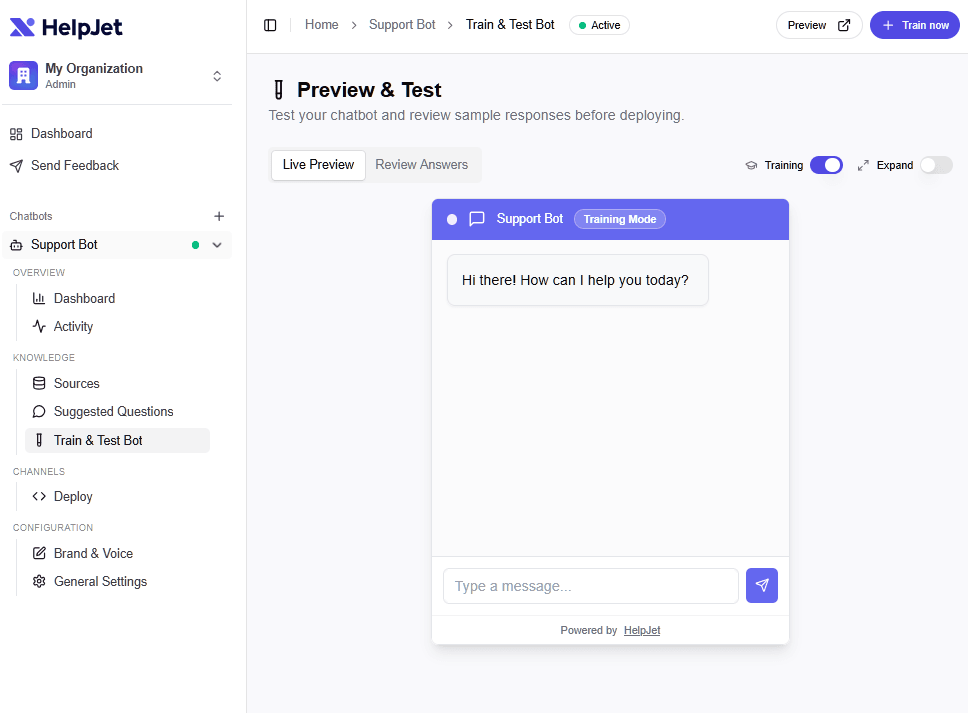
HelpJet trains on your existing website or documentation in about five minutes, answers in plain language, and passes tricky issues to your team when it cannot help.
You can see how HelpJet handles each question and also tweak those answers for better accuracy.
HelpJet is free to start, try it today!
5. Phone Support

Some problems demand a human voice, and no amount of technology has changed that.
Phone support is used for urgent, complex, and emotional issues.
When someone is truly upset or facing a high-stakes problem, the option to talk to a real person should be there.
Key Features and Strengths:
- Highest level of trust for difficult problems since a calm voice can defuse situations in ways that text cannot.
- It provides a fast fix for complex issues that would take ten emails to sort out.
- Emotional connection, allowing agents to read tone and respond with real empathy.
- Preferred for urgency.
What to Watch For:
- It is expensive per interaction, involving real costs in wages, tools, and overhead.
- It does not scale the way chat or self-service do. Only one issue can be addressed at a time.
- Requires empowered agents, because a rep who cannot make decisions just adds friction.
6. Social Media Support
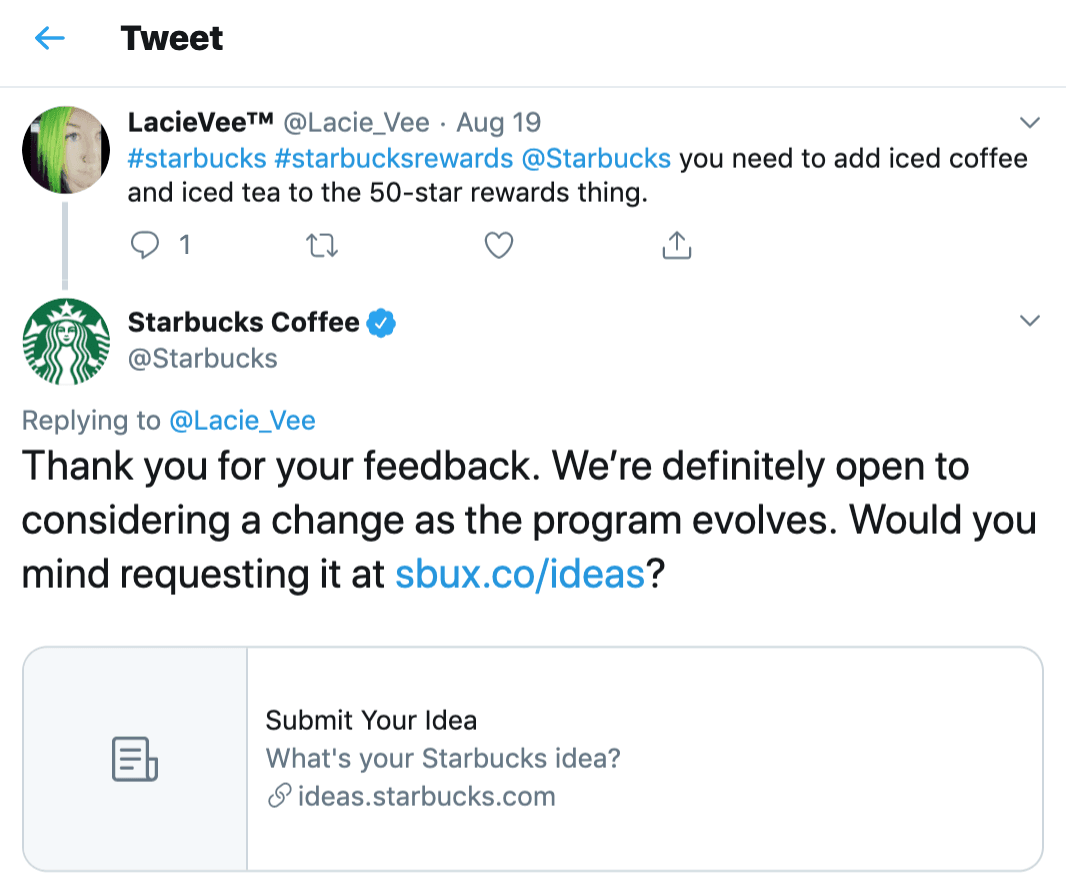
Social platforms have become customer engagement channels where support, marketing, and brand reputation often overlap.
What makes social media support different is that everyone is watching.
A complaint posted on X, Facebook, or Instagram sits on the public record, visible to the customer's followers and to anyone searching for your brand.
This public scrutiny makes social support both a risk and an opportunity. Handle it well in public and you earn trust at scale, ignore it and you broadcast that you do not care.
Key Features and Strengths:
- Public interactions help build trust.
- Meets customers where they already spend time, with no extra app or login required.
- Fast, visible responses signal that your team is active and paying attention.
- Helps you spot recurring issues, customer feedback, and brand sentiment before they grow.
What to Watch For:
- Everything is public, so a clumsy reply can go viral for the wrong reasons.
- Trolls and heated conversations require clear escalation rules and a calm approach.
- Marketing and support often share social accounts, so clear ownership is important to avoid confusion.
If your customers are social, you have to be there too.
For example, Amazon runs a dedicated @AmazonHelp account with multilingual, initialed replies. Which mostly tries to redirect customer complaints to their support platform. But it’s better than nothing.
7. Messaging Apps (WhatsApp, Messenger, Apple Messages)
Imagine offering customer support in the same app your customers use every day to message their family and friends.
Messaging apps such as WhatsApp Business, Facebook Messenger, and Apple Messages for Business bring customer service and support into the tools people check all day.
The experience feels fast, familiar, and personal.
For mobile-first and global audiences, messaging has become one of the fastest-growing customer support channels.
Key Features and Strengths:
- Massive reach, with WhatsApp reporting more than 3 billion monthly users.
- Rich media support. Customers can send photos and videos to explain problems.
- Persistent conversations that pause and resume naturally without losing context.
- Familiar experience, since customers already know the interface.
- Excellent for mobile-first and international audiences.
What to Watch For:
- Platform rules and fees.
- Customer opt-in is required, and sending unsolicited business messages can violate regulations or platform policies.
- Supporting multiple messaging apps can become difficult.
- Customer preferences vary by region
8. SMS and Text Messaging
SMS is one of the most effective channels for proactive customer support. While it is not designed for long conversations, it is excellent for sending timely updates that customers want to receive (shipping notifications, appointment reminders, delivery updates, or alerts that an order is ready for pickup).
These messages answer common questions before customers need to contact your support team.
The biggest advantage of SMS is its simplicity. Nearly every mobile phone can receive text messages, with no app, account, or login required.
Key Features and Strengths:
- High open rates
- Perfect for proactive alerts
- Works on virtually any mobile phone
- Cost-effective, at pennies per message for most use cases.
- Supports two-way messaging
What to Watch For:
- SMS regulations require clear customer consent, and failing to comply can lead to legal and financial penalties.
- Character limits
- Sending too many messages can quickly lead customers to opt out.
- Needs a dedicated messaging or customer support platform.
9. Community Forums and Peer-to-Peer Support
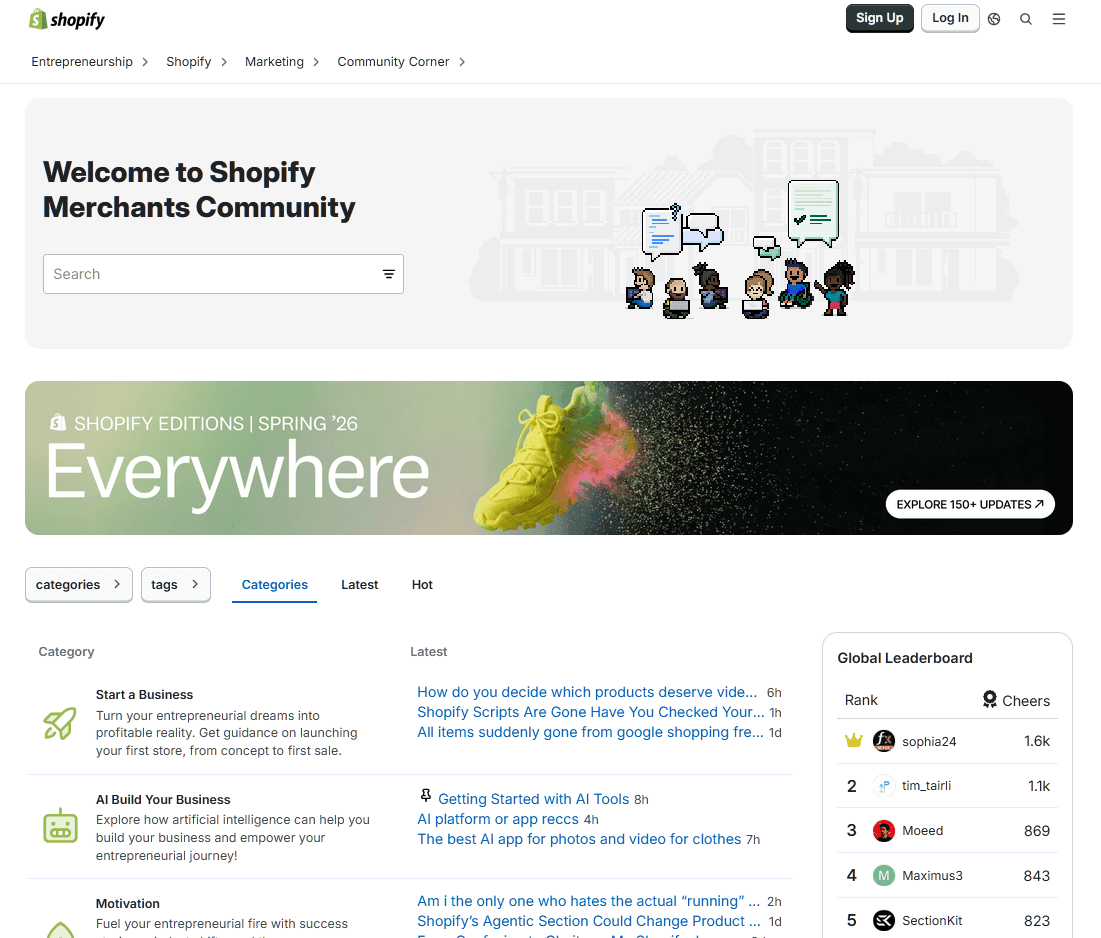
There is a certain kind of magic when your customers start answering each other's questions better than you could.
Community forums create a space where power users, fans, and newcomers trade tips, solve problems, and build loyalty, all while generating searchable content that heads off tickets and boosts your SEO.
It is support that gets stronger the more your customer base grows.
Building a successful community takes time. It requires active moderation, regular participation, and enough engaged users to keep discussions moving.
Key Features and Strengths:
- Peer-to-peer support helps customers solve problems while reducing support ticket volume.
- Experienced users often share practical tips and product knowledge that go beyond official documentation.
- SEO and discoverability
- Strong communities build customer loyalty by giving people a place to connect and share ideas.
- Customer discussions provide valuable product feedback and reveal common pain points.
What to Watch For:
- Take time to grow
- Ongoing moderation is essential to keep discussions accurate, helpful, and respectful.
- Not suitable for urgent support
10. In-App and In-Product Support

The easiest way to help customers is to offer support without making them leave your product.
In-app support places help directly inside your website, software, or mobile app through chat widgets, embedded help centers, guided walkthroughs, tooltips, and contextual tips.
For SaaS and app-based businesses, this channel meets users at the exact moment of friction without them having to open an email or search the web.
Key Features and Strengths:
- Help is available without forcing users to leave the product.
- Product context allows support teams to see where users are experiencing problems.
- Combines self-service resources and live support.
- Great for onboarding, guiding new users through their first steps.
What to Watch For:
- Requires integration with your product and ongoing engineering effort.
- Too many pop-ups, tooltips, or prompts can interrupt the user experience.
- Content needs regular updates.
11. Video Support and Co-Browsing
For the problems that are genuinely hard to explain in words, video support and co-browsing are the closest thing to sitting beside the customer.
Video support and co-browsing let agents guide customers through complex tasks in real time, whether that means joining a video call, sharing a screen, or walking through a form together.
Unlike chat or email, this is a high-touch support channel. It requires more time and resources, so it is best reserved for situations where visual guidance makes a meaningful difference.
Key Features and Strengths:
- Makes complex issues easier to understand with live visual guidance.
- Co-browsing guidance, letting agents walk customers through forms and flows.
- Builds trust through personal, one-on-one interactions.
- Speeds up resolution for technical troubleshooting and product setup.
- Works great for onboarding, product demonstrations, and supporting high-value customers.
What to Watch For:
- Requires dedicated agent time
- Privacy and security concerns with screen sharing and personal data.
- Scheduling friction
- Overkill for simple issues
Final Thoughts
The best customer service strategy isn't the one with the most channels. Instead, it's the strategy that provides customers with the right assistance at the right time through their preferred channels.
Start with building a solid self-service foundation with a well-maintained knowledge base and an AI chatbot that can answer routine questions.
From there, invest in the human channels your customers rely on most, typically email, phone, and live chat.
Then expand your customer service channels with messaging apps, social media, SMS, community forums, in-app support, or video support only when your customers truly need them.
Keep reading
- How To Deal with Angry Customers in 2026 (Scripts and Real Examples)Learn how to handle angry customers with proven de-escalation steps, calm response scripts, and practical ways to resolve complaints.
- 10 Best DocsBot Alternatives and Competitors (2026 Guide)
- 8 Best Free AI Chatbots for Websites in 2026Compare 8 free AI chatbots for websites by free plan limits, AI features, setup and upgrade cost, and find the right free chatbot for your site.
Put this into practice
HelpJet learns your docs and takes the repetitive questions off your plate. Set up in about 5 minutes.
Try HelpJet freeShare this article